
One flow from sale to kitchen to stock.
The sale that prints the receipt also updates the kitchen display and stock, so nothing is entered twice.
Product fact
Use case
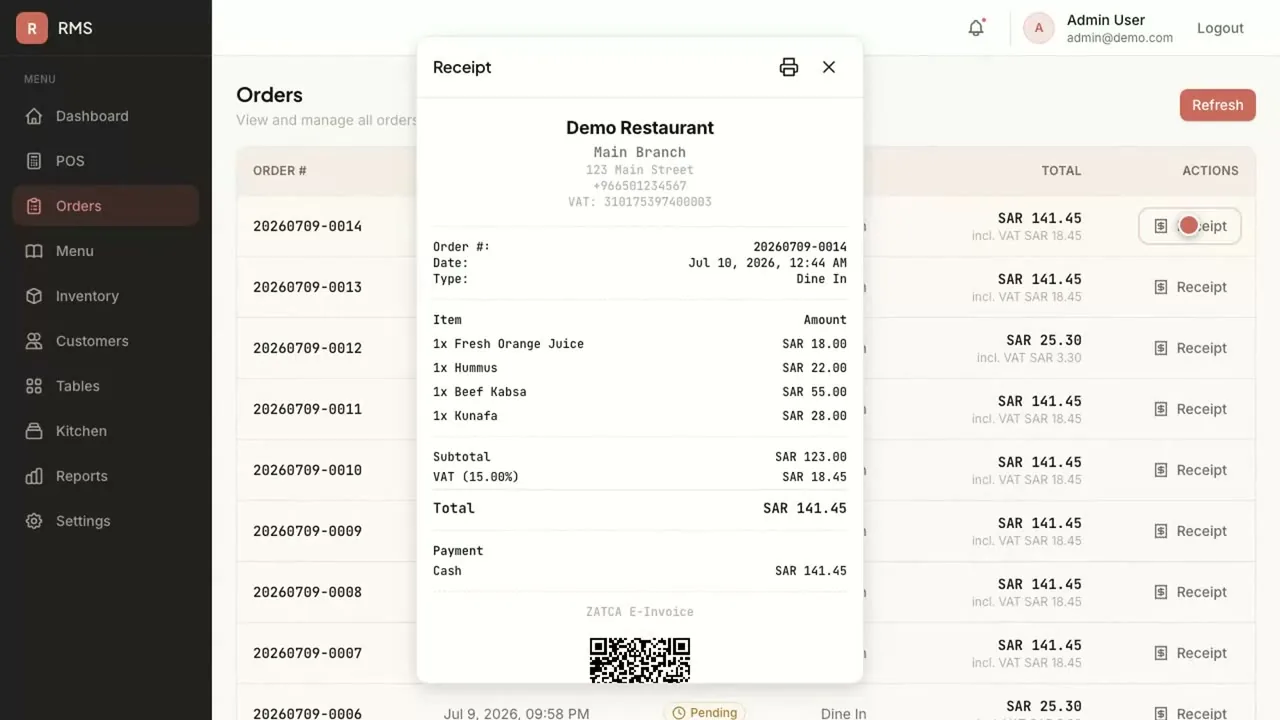
Restaurant Management System puts a ZATCA-ready QR code on every receipt, with VAT applied at the till and branch sales in one place.
The problem today
In Saudi Arabia, invoices follow ZATCA e-invoicing rules, and the till has to produce them with a QR code. A restaurant group with several branches may run a different till at each, then reconcile VAT in spreadsheets at month end.
How it works today
How it works
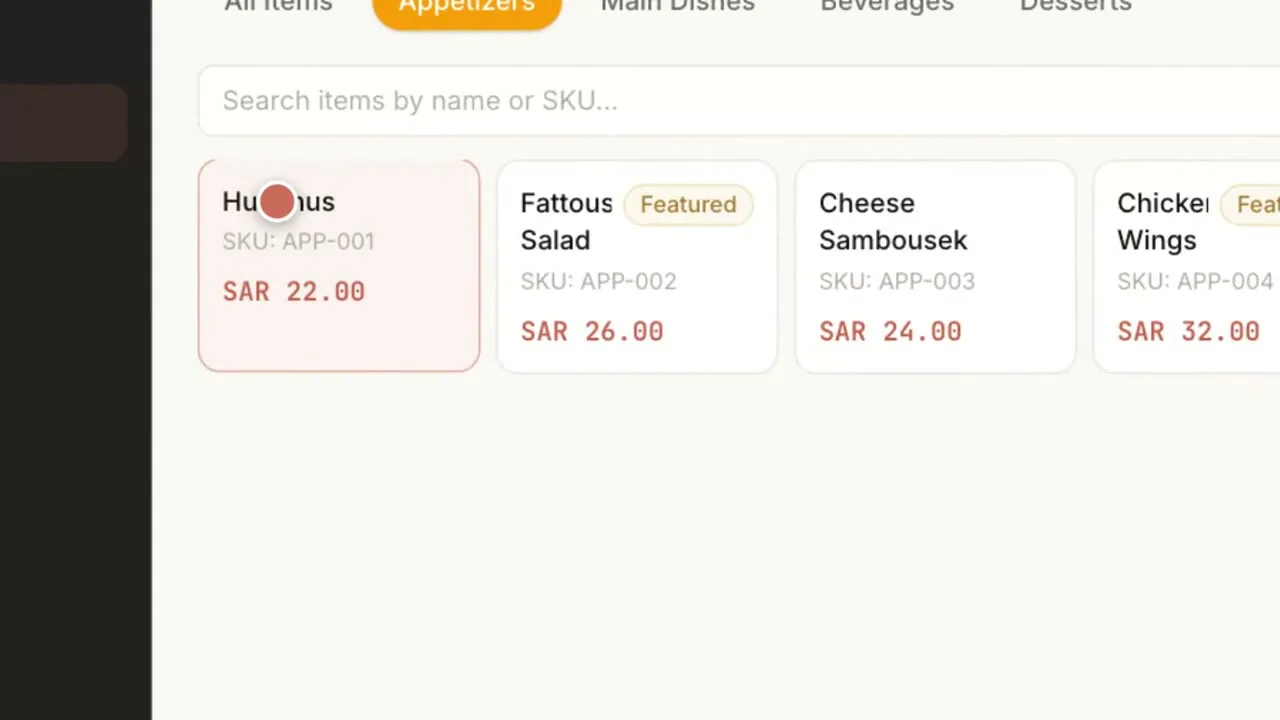
A category-first point of sale lets the cashier ring the sale quickly, and VAT is added automatically.
Category-first POS · VAT addedThe cashier does not calculate VAT.
The receipt carries a ZATCA-ready QR code, as part of ZATCA-ready invoicing.
ZATCA-ready QREvery receipt carries it.
The sale reaches the kitchen display and updates stock in the same flow.
Kitchen · StockOne entry, three places updated.
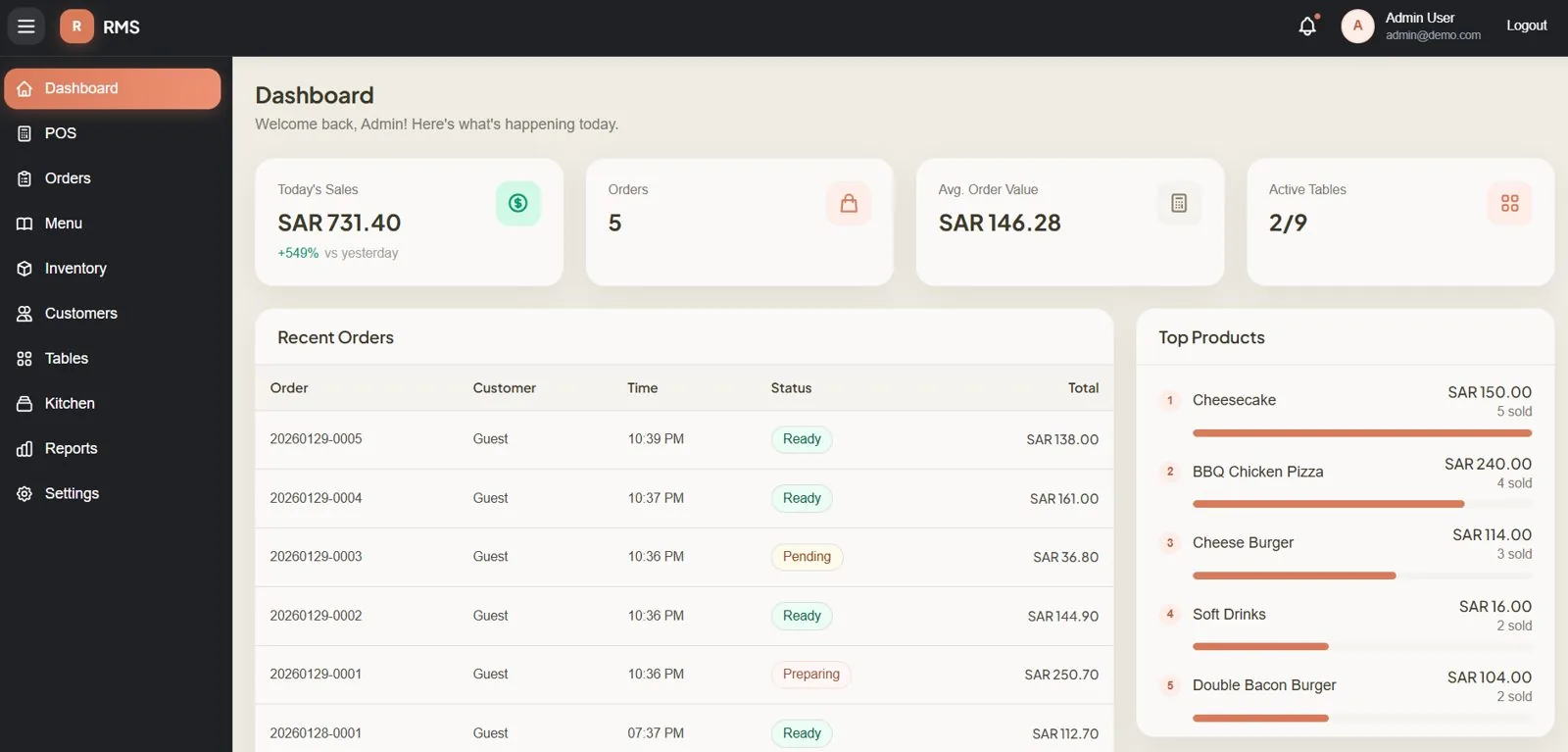
Each branch's sales are brought together in one place.
Every branchNo reconciling branch tills by hand.
For trading firms, ERP Pro's KSA Compliance module prepares ZATCA-ready invoicing, with GOSI and WPS for payroll.
ERP Pro · KSA ComplianceInvoices raised from ERP Pro are ZATCA-ready too.
The product, in three screens
Products involved
Runs it
POS, kitchen, stock and ZATCA-ready invoicing in one flow.
Connecting Restaurant Management System sales to ERP Pro's books is integration work under Custom Development & Integration, not built in.
What changes
The sale that prints the receipt also updates the kitchen display and stock, so nothing is entered twice.
Product fact
VAT is applied at the till, so month end does not start with a spreadsheet reconciliation.
Product fact
Branch sales roll up in one place, so a new branch adds a location, not another system.
Product fact
FAQ
Yes. A ZATCA-ready QR code prints on every receipt, as part of ZATCA-ready invoicing.
Yes. Restaurant Management System is built for multi-branch groups, with branch sales rolling up in one place.
ERP Pro's KSA Compliance module prepares ZATCA-ready invoicing, with GOSI and WPS for payroll. See "Run quote-to-cash with ZATCA-ready invoices".
On a Saudi cloud provider in KSA, in your own cloud account, or on-premise. On your own server, the data stays with you.
One-time cost. No monthly subscription and unlimited users, so adding a cashier or a branch user adds no fee.