
1Connect
Connect what you already run.
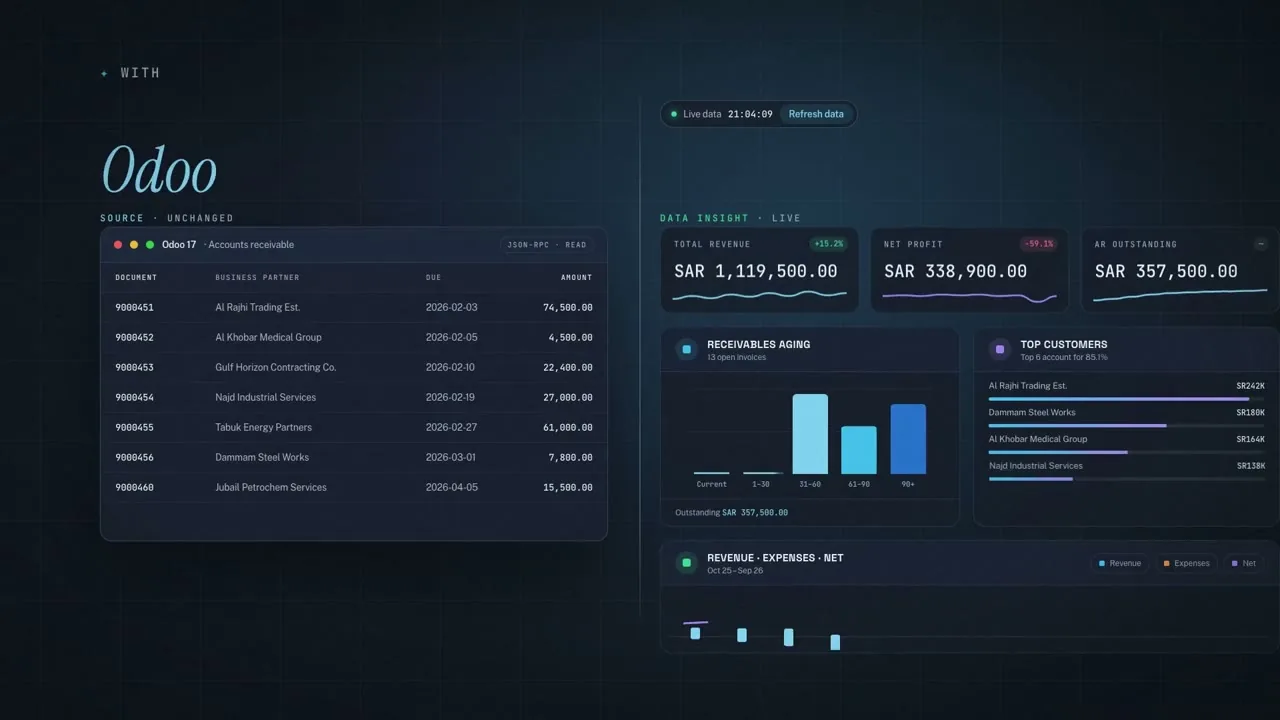
- ERPs: SAP, Odoo and Dynamics 365, and any other ERP through its API
- Folders: Google Drive and OneDrive
- Excel and CSV files, uploaded as they are
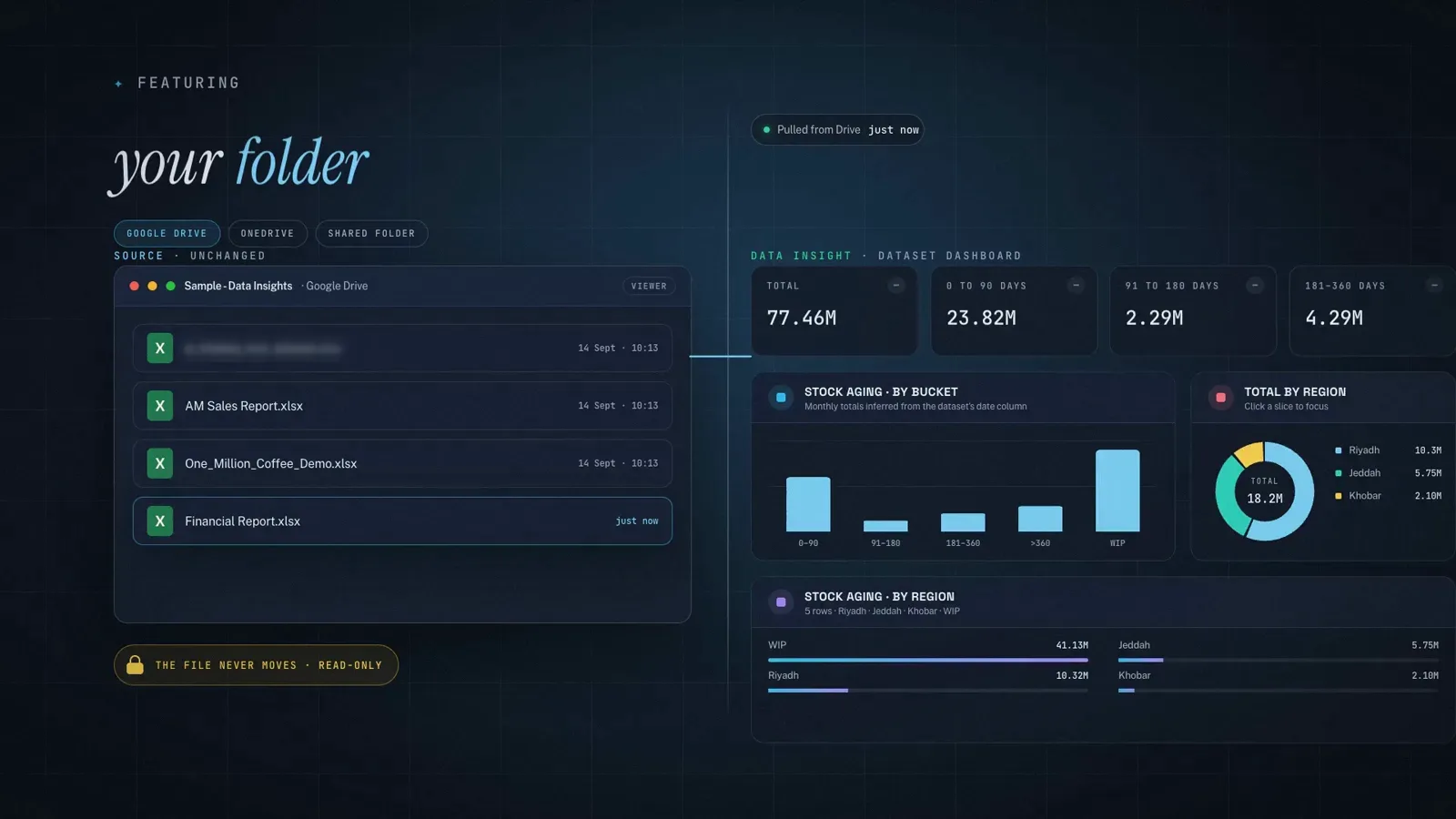
Frame from the demo. Demo data.
Data Insight by AI Hub
Data Insight connects to your ERP, your folders and your spreadsheets, builds live dashboards and writes the management report. It reads your data and never changes a source record.
One-time costNo monthly subscriptionUnlimited users
What it replaces
With Data Insight
Live dashboards and a drafted management report from the data you already have, so the team reviews the pack instead of building it.
1Connect
Frame from the demo. Demo data.
2Dashboards
Frame from the demo. Demo data.
3The management report
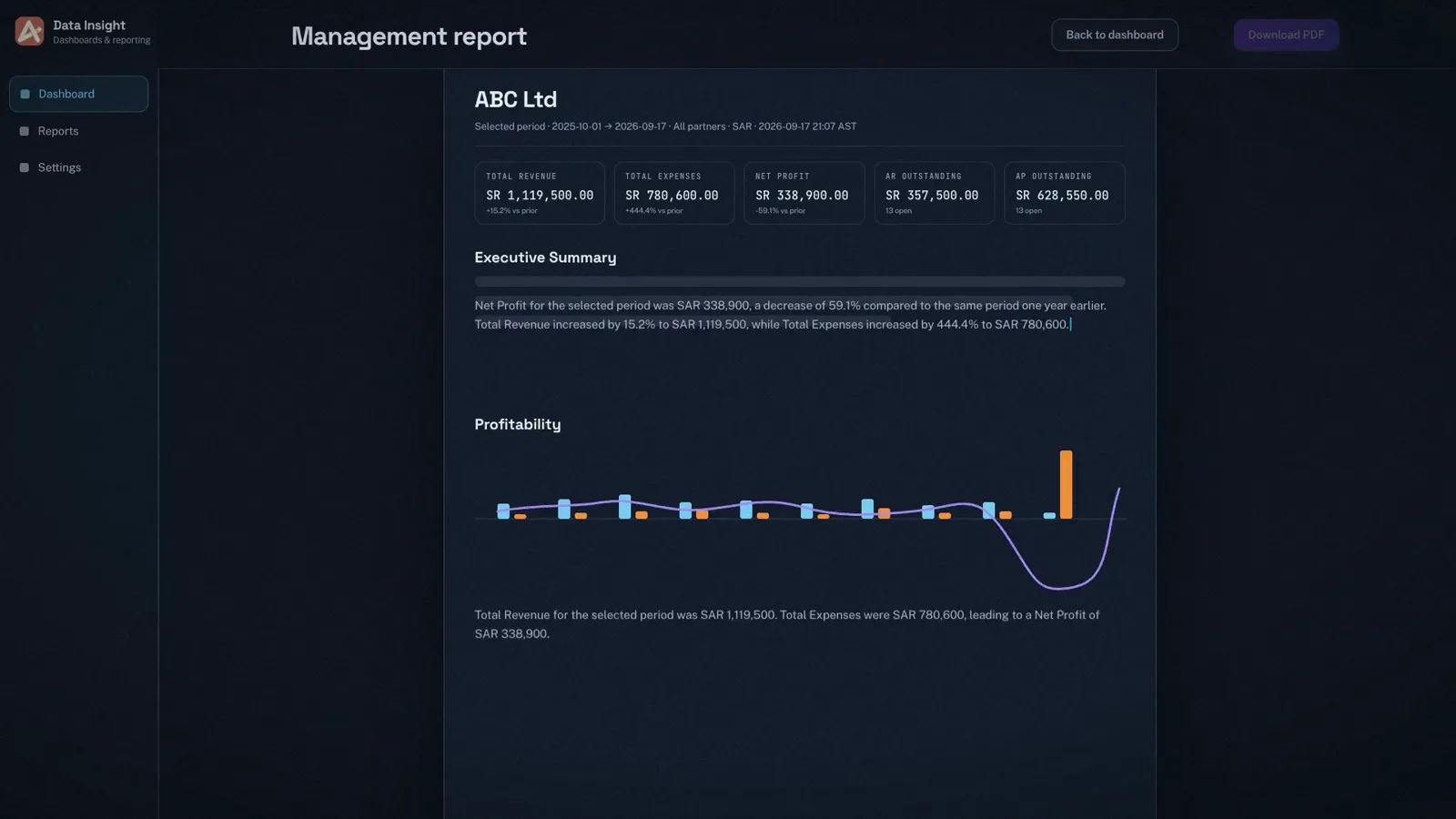
Frame from the demo. Demo data.
4Read-only
Nothing is written back to your systems.
Your ERP remains the system of record.
Folder files are read in place, never moved.
Excel and CSV files, read sheet by sheet.
Summary, charts and tables, ready to review.
Refresh the data and the dashboard follows.
Data Insight runs without AI. Run it in the cloud (a Saudi cloud provider in KSA, or your own cloud account) or on-premise. On a Saudi cloud provider or your servers in KSA, your data stays in KSA. You bring your own AI key for any AI you switch on.
Read-only connections to your ERP, your folders and your spreadsheets.
Read-only. Nothing is written back.
 SAP
SAP Odoo
Odoo Dynamics 365
 Google Drive
 OneDrive
 Excel
ExcelTrademarks belong to their owners.
Link an ERP, a folder or an Excel or CSV file. Access is read-only.
Data Insight builds live dashboards: revenue, net profit, receivables aging and top customers.
Refresh the data and the dashboard follows.
Generate the management report, with the summary and commentary written for you. Download it as a PDF.
From an ERP, a folder and an Excel file to a live dashboard and a management report.
Demo data
No. Data Insight has read-only access. It reads your systems and files and never changes a source record, so your ERP stays the system of record.
SAP, Odoo and Dynamics 365, and any other ERP through its API; folders on Google Drive and OneDrive; and Excel and CSV files you upload.
They are two separate products. Data Insight builds live dashboards and management reports from your data. The Data & Finance Voice Agent is an AI agent: you ask your numbers by voice or text and hear the answer.
A summary and commentary written for you, with charts and tables, as a PDF your team reviews instead of builds.
It runs in the cloud (a Saudi cloud provider in KSA, or your own cloud account) or on-premise. On a Saudi cloud provider or on your servers in KSA, your data stays in KSA.
One-time cost, no monthly subscription and unlimited users, so adding a reader of the dashboards adds no fee.