
One live view replaces the monthly assembly.
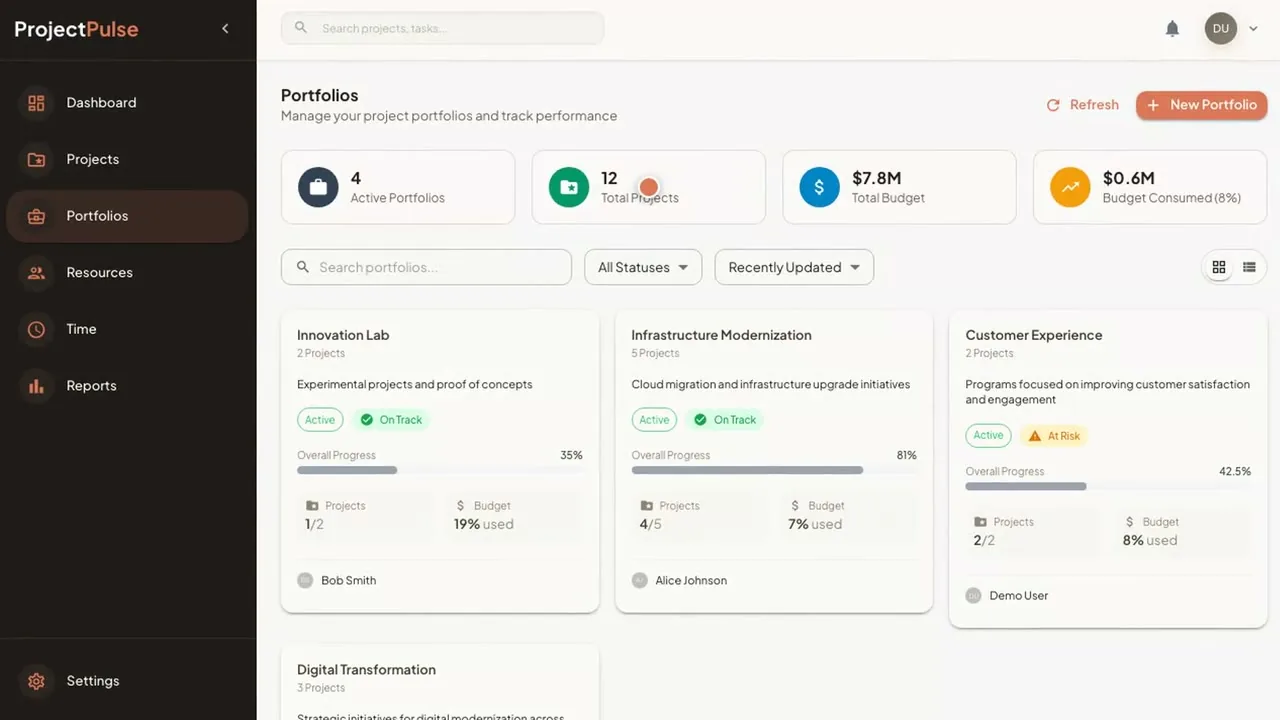
Budget, time and resources roll up from the task to the portfolio, so the report is a screen you open, not a document someone builds.
Product fact
Use case
Project & Portfolio Management rolls budget, time and resources up from the task to the boardroom.
The problem today
The monthly portfolio report is put together by hand, and by the time anyone reads it, it is out of date. Resource clashes are found when two projects both ask for the same engineer.
How it works today
How it works
Projects, tasks, time and budgets go in one time: your project plans, the hours logged against tasks, and the budget for each project.
One recordEvery view reads from the same record.
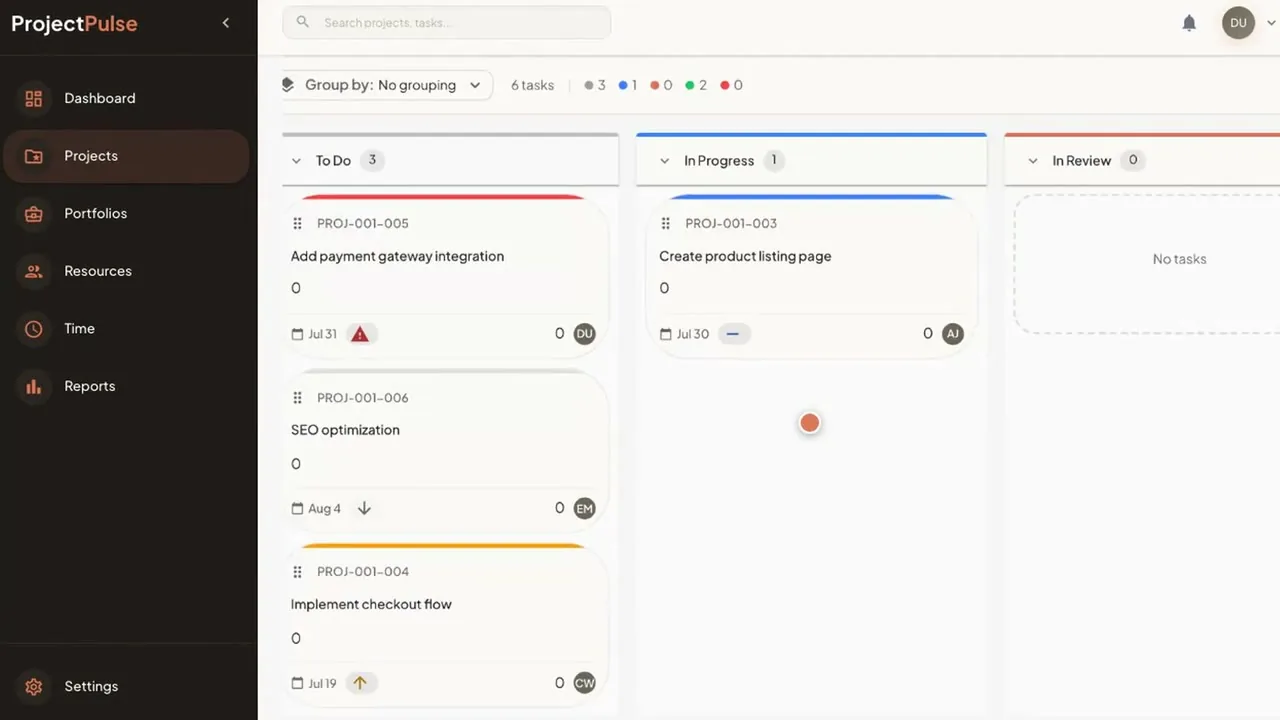
Gantt, Kanban, calendar and timeline views, so a site engineer, a project manager and the PMO each work the way they prefer.
Gantt · Kanban · Calendar · TimelineThe data is the same. Only the view changes.
Budget against actual rolls up from each project to the whole portfolio. Currency is configurable (SAR, USD and others).
Task to boardroomThe portfolio figure is the sum of the tasks beneath it.
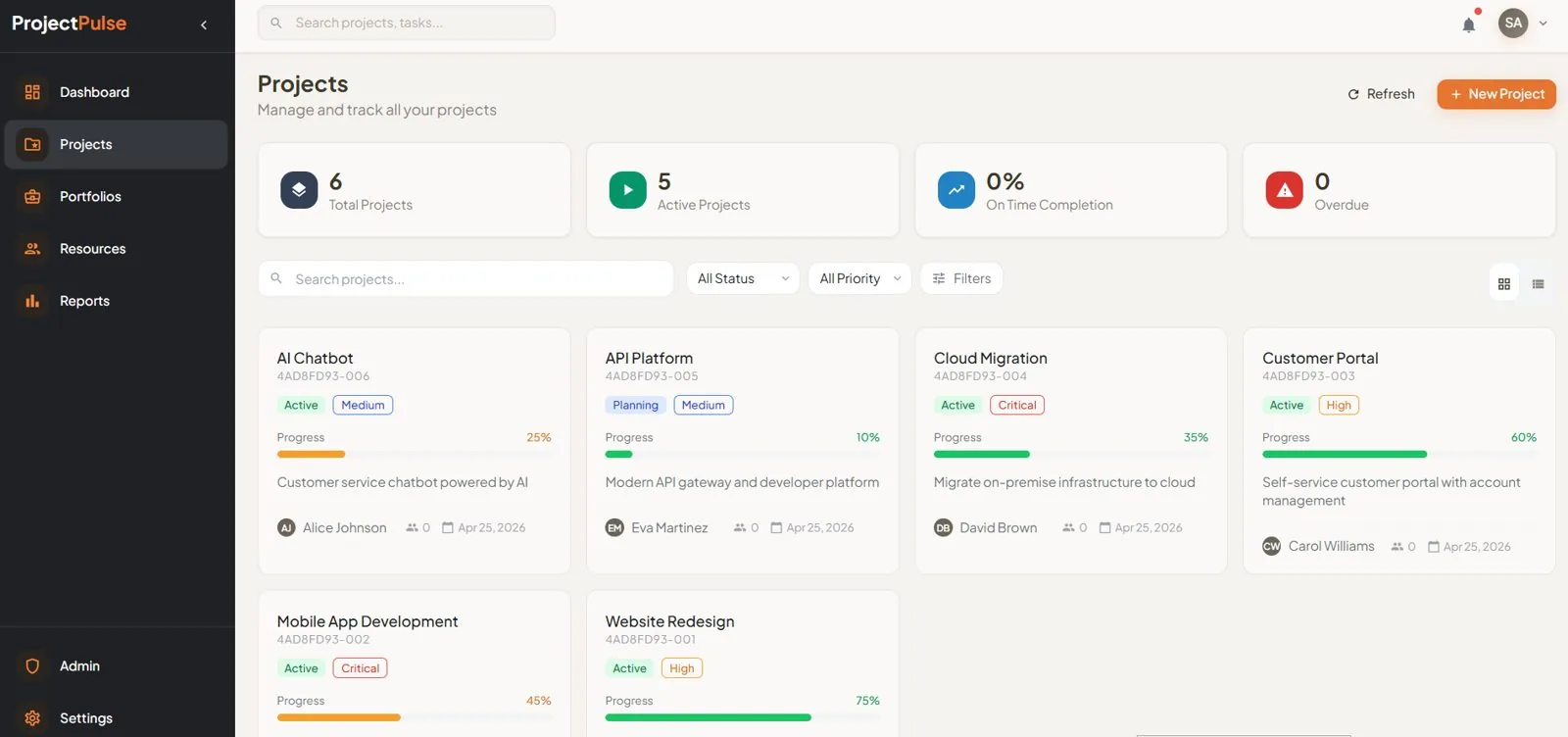
Red, amber and green health marks the projects that need a decision. Capacity alerts warn when someone is over-allocated.
Red · Amber · GreenAttention goes to the project that needs it.
Role-based access controls who sees and changes what, and an audit trail records every change.
Role-based accessEvery change has a name and a time.
The product
The same record, seen at three levels. Pick a screen.
Products involved
Runs it
Every project, budget and resource on one view.
Pairs with
Ask your data by voice or text. Get the answer.
Where a connection you need is not available out of the box, Custom Development & Integration builds it.
What changes
Budget, time and resources roll up from the task to the portfolio, so the report is a screen you open, not a document someone builds.
Product fact
Budget against actual and red, amber, green health roll up across every project on one screen.
Product fact
200manager-days a year
A 40-manager PMO that stops compiling status by hand gets back some 200 manager-days a year. That is about five days per manager.
Your PMO will differ.
Illustrative scenario · not a customer result
Questions
No. Project & Portfolio Management runs perfectly well without AI switched on.
Access is role-based, and an audit trail records every change, so you can see who changed what and when.
On a Saudi cloud provider in KSA, or on-premise. On your own server, the data stays with you.
ERP Pro and the Data & Finance Voice Agent pair with it. If you run a different ERP, or a connection you need is not available out of the box, Custom Development & Integration covers it.
One-time cost. No monthly subscription and unlimited users, so adding a project manager adds no fee.