
Every request has a place and an owner.
A request sits in the inbox of the person who has to act, and the run shows where it is at every step.
Product fact
Use case
Automation Pro lets your team design a workflow, build the form, and see every run in one inbox.
The problem today
Requests for leave, purchases, expenses and new suppliers are sent wherever someone happened to ask. Nobody can say where a request is stuck, or who approved it.
How it works today
How it works
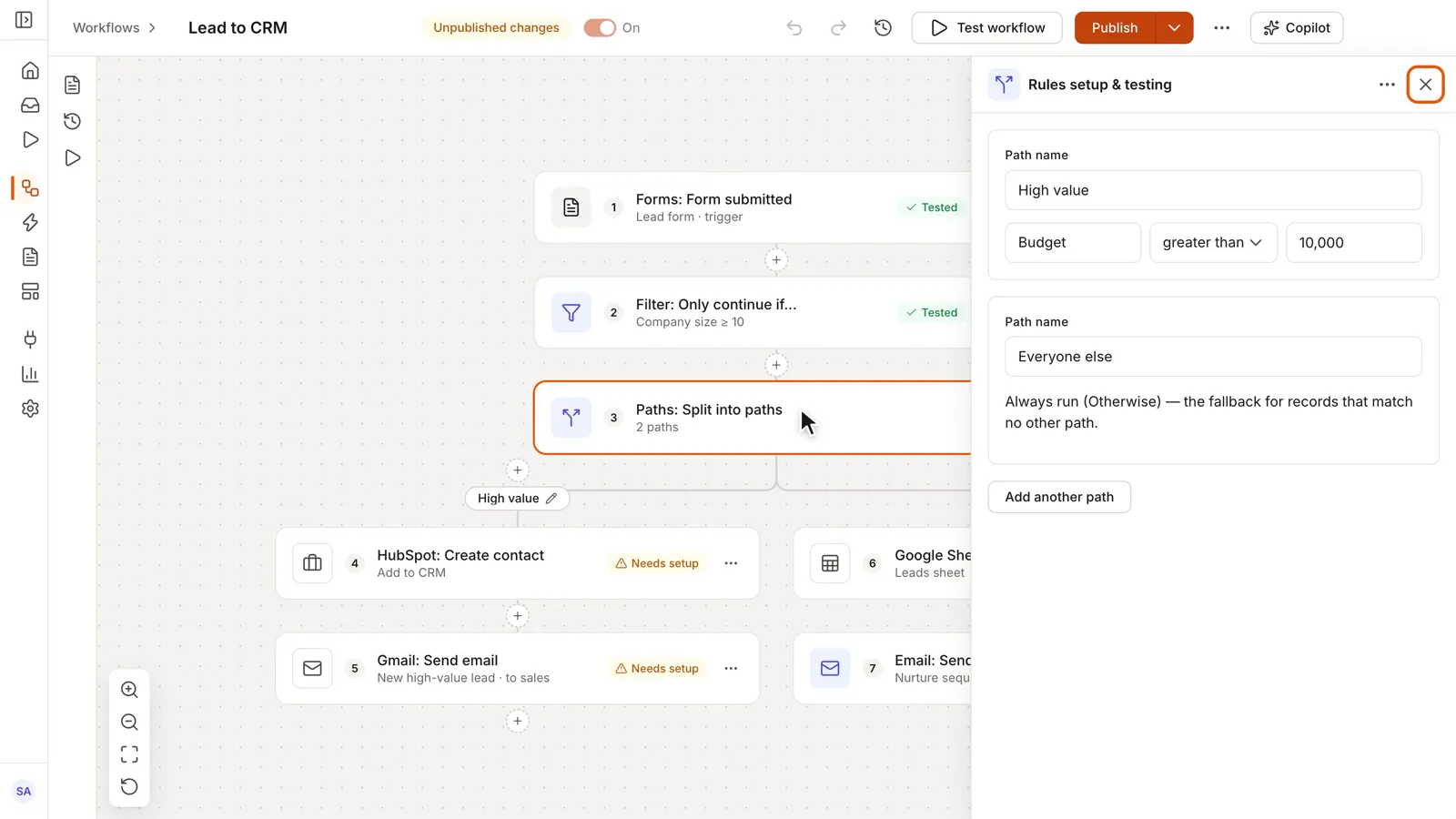
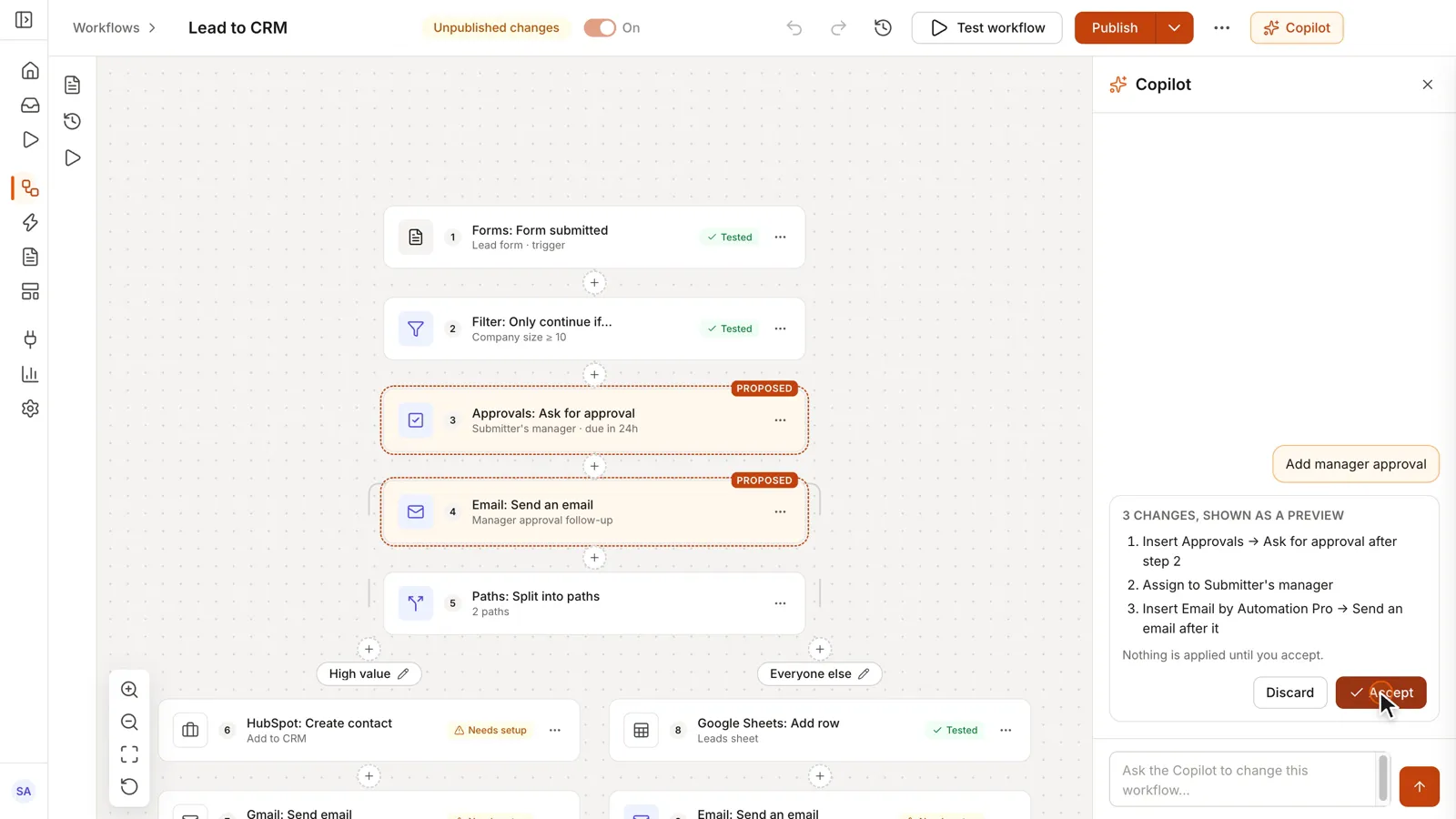
Lay out the steps on a node-based canvas. The AI Copilot can propose the flow from a plain description, and nothing applies until you accept it.
Canvas · AI CopilotDescribe it in plain words. Review before it applies.
Build the form your team fills in, with conditional fields, files and signatures.
FormsEveryone asks the same way.
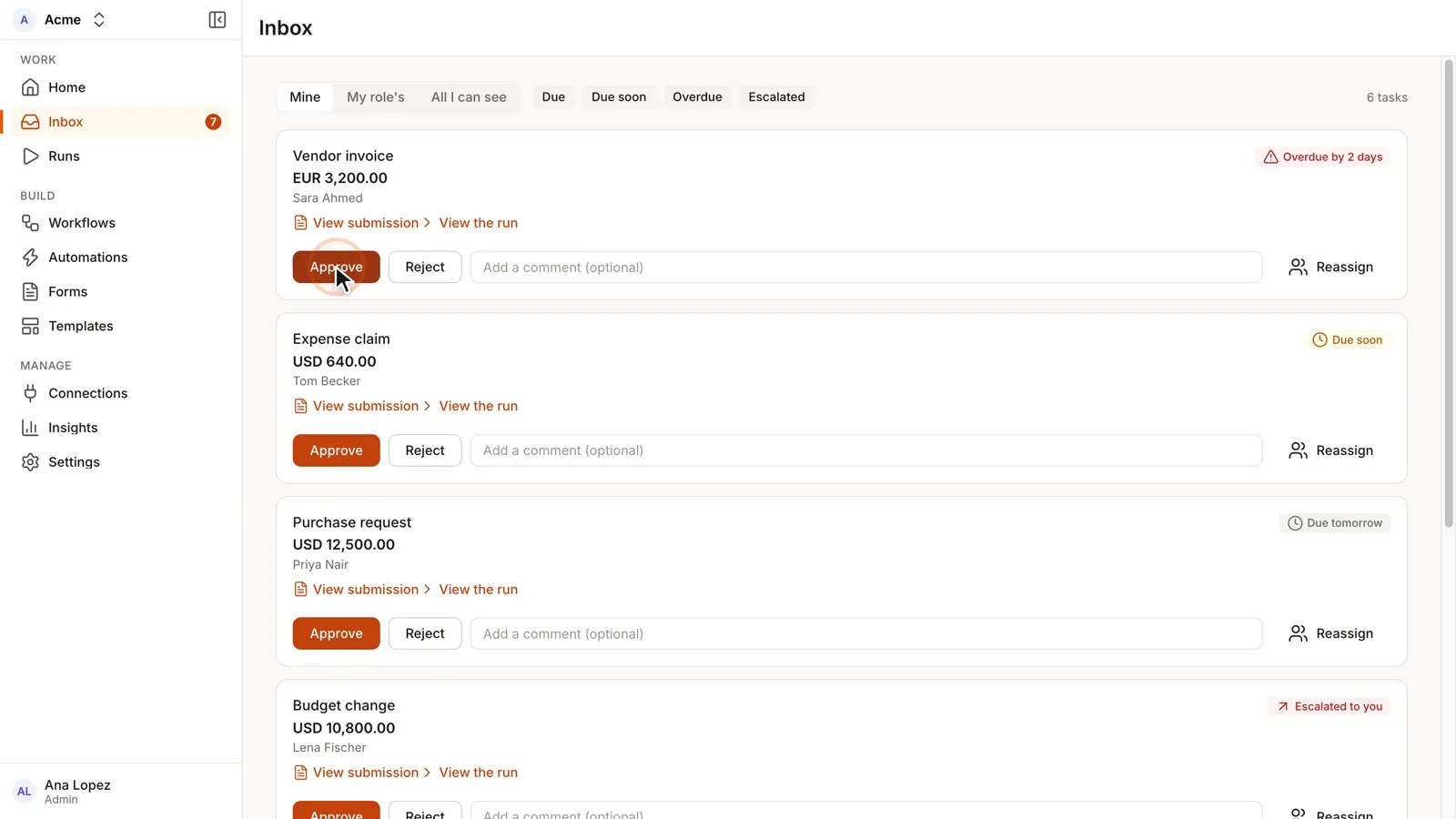
Every request waiting on a person lands in an approvals inbox. Approve, reject with a reason, or reassign.
Approve · Reject · ReassignA rejection always has a reason.
Each run is recorded, with a view of where every request sits. A failed run shows the step and the error.
Run logAnyone can see where a request is stuck.
Start from a template and connect the systems you already use, through ready connectors or API.
Templates · ConnectorsYour workflow reaches the tools your team already uses.
The product
Products involved
Runs it
Forms, workflows and approvals, with an AI Copilot.
Pairs with
Hiring, onboarding, leave and letters, in chat.
Automation Pro connects through ready connectors or API to Microsoft, ERP and finance systems, Google and CRM, and KSA and GCC operations tools. The full list is on the Automation Pro page. Where a connection you need is not available out of the box, Custom Development & Integration builds it.
What changes
A request sits in the inbox of the person who has to act, and the run shows where it is at every step.
Product fact
Insights show where requests wait, so you can fix the step that holds them up.
Product fact
You change the workflow or the form yourself, on the canvas, instead of raising a software project.
Product fact
Questions
No. Automation Pro is fully usable with no AI switched on. The AI Copilot runs on your own AI key.
It builds a workflow from a plain-language description, and it edits and explains your existing flows. It shows a preview first, and nothing applies until you accept.
Through ready connectors or API: Microsoft, ERP and finance systems, Google and CRM, and KSA and GCC operations tools. The full list is on the Automation Pro page.
In the cloud (a Saudi cloud provider in KSA, or your own cloud account) or on-premise. On a Saudi cloud provider in KSA or on your own servers, your data stays in KSA.
One-time cost. No monthly subscription and unlimited users, so adding an approver adds no fee.