
Every call becomes a ticket.
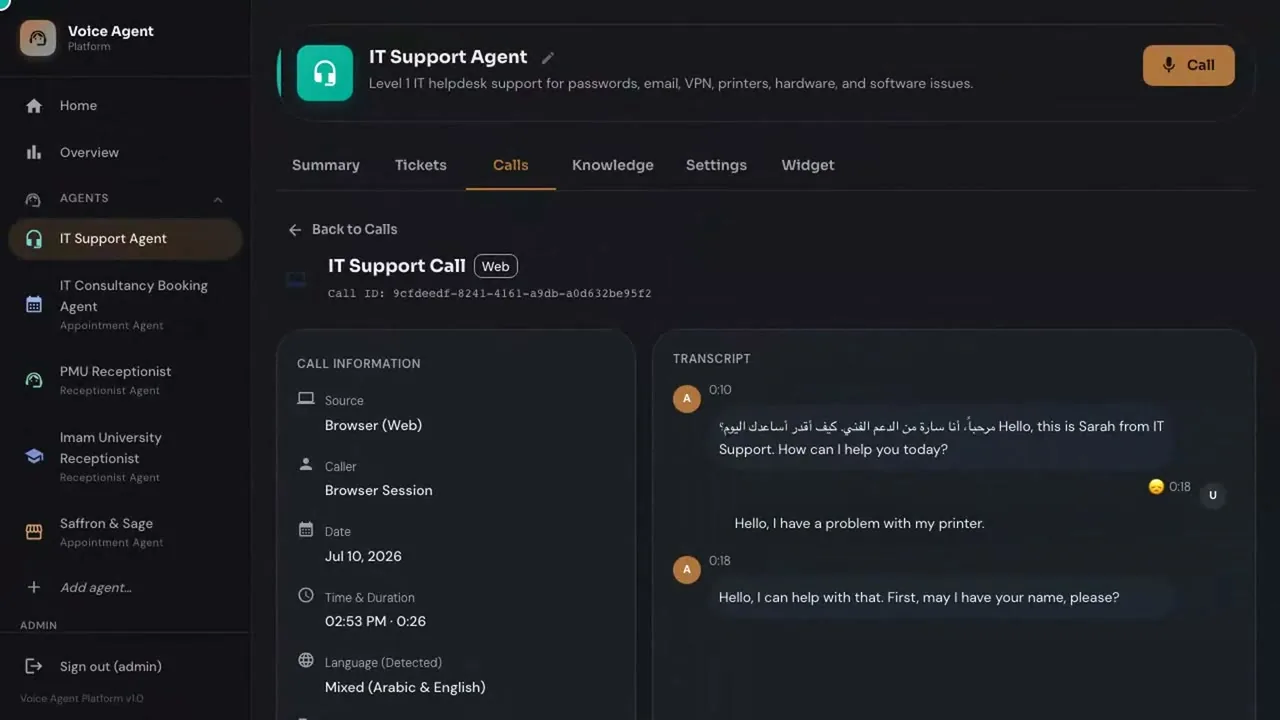
None depends on someone remembering to log it. The ticket carries the recording and the transcript.
Product fact
Use case
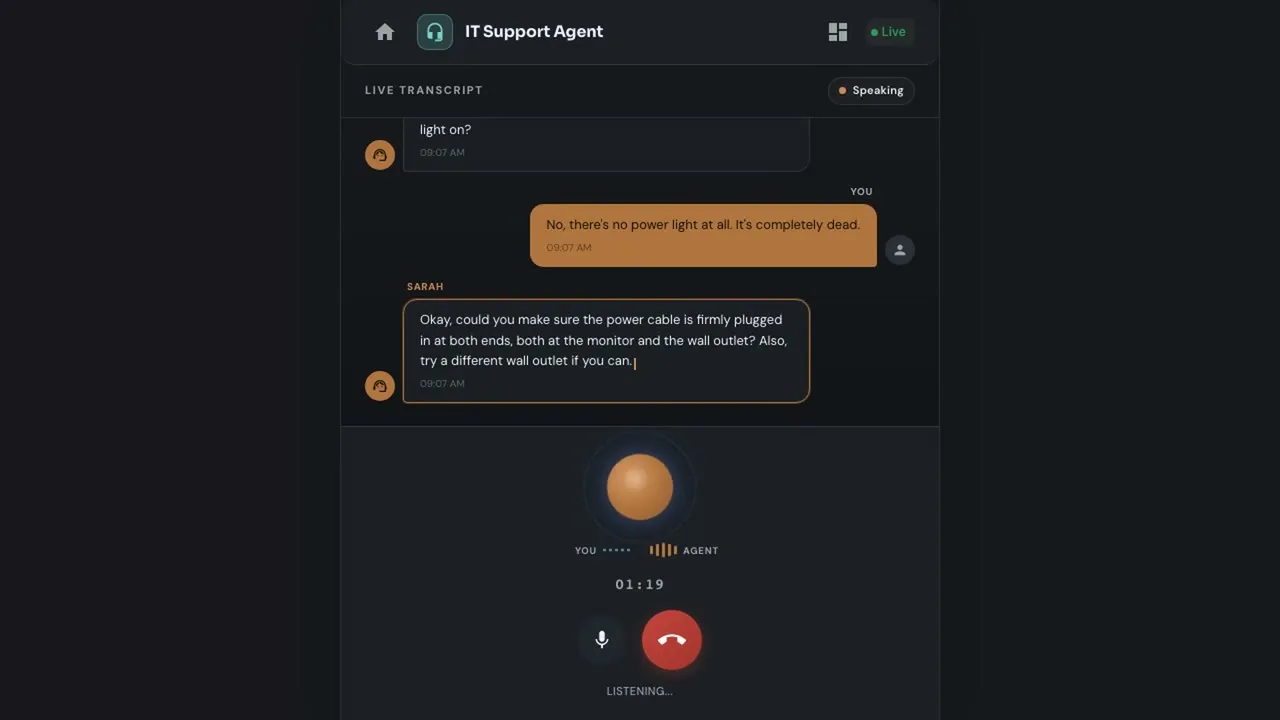
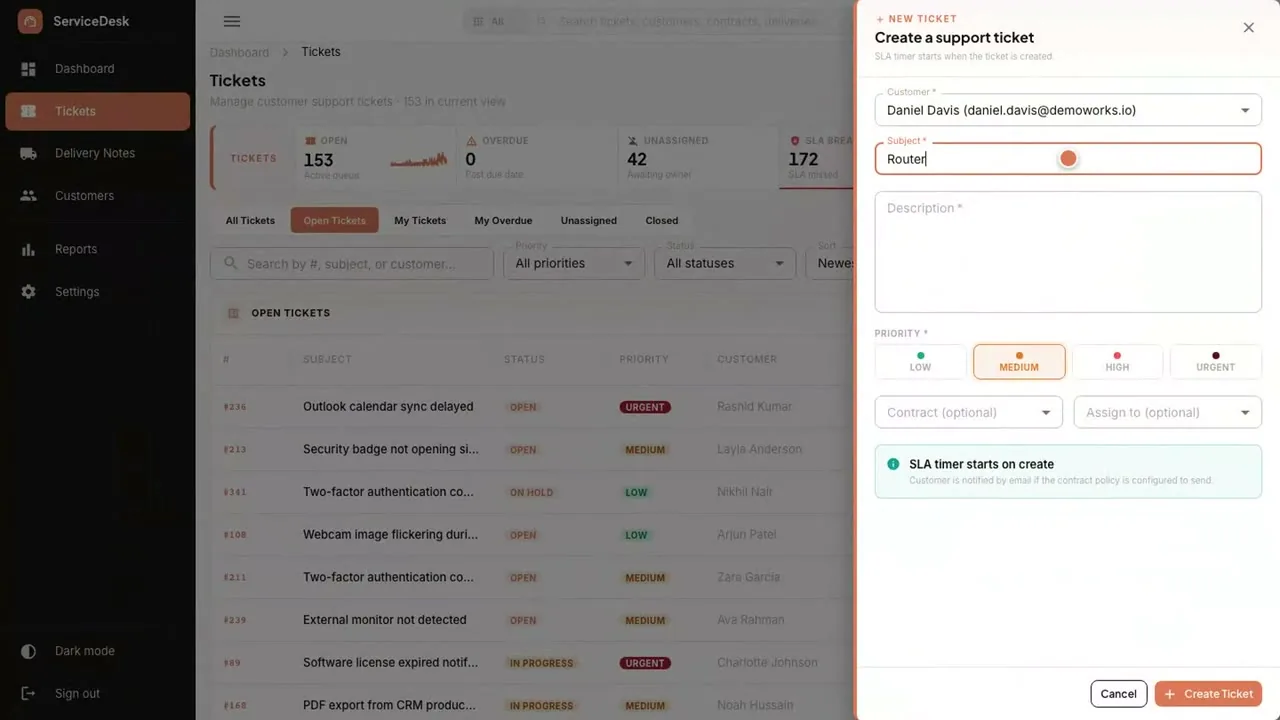
AI Voice Agent answers the helpdesk line, gathers the details an engineer needs, and opens the ticket in ServiceDeskPro.
The problem today
Details are noted on paper or in chat, and a P1 outage reported at 8 pm may only surface the next morning. A customer's contract may cover only certain hours, but nobody has checked while the call is happening.
How it works today
How it works
The caller dials the helpdesk number. The agent detects Arabic or English and answers in that language.
Arabic · EnglishThe caller never has to choose.
It asks for company, name, system affected and urgency, and follows your help-desk script.
Company · System · UrgencyThe same questions, asked the same way, every time.
The agent creates a ticket in ServiceDeskPro with the recording and transcript attached, linked to the customer's contract.
Ticket + transcriptThe engineer starts with the conversation, not a vague message.
An emergency goes straight to the on-call engineer, and the agent tells the caller so.
On-call engineerAn outage is not left until morning.
When the answer is in your knowledge base, the agent resolves the request and closes it on the call.
Knowledge baseA password reset does not need an engineer.
The product
Products involved
Runs it
It answers your business line around the clock. It books, resolves or takes a message, then hands your team the record.
Where a connection you need is not available out of the box, Custom Development & Integration builds it.
What changes
None depends on someone remembering to log it. The ticket carries the recording and the transcript.
Product fact
The engineer opens a ticket with the caller's own words, the system affected and the urgency already filled in.
Product fact
A sentiment score on each call shows which customers are unhappy, so the team can reach them first.
Product fact
Questions
Yes. The ticket in ServiceDeskPro carries the recording and the transcript, linked to the customer's contract.
The agent escalates straight to your on-call engineer and tells the caller it has done so. You set the roster.
You choose. On Cloud, recordings and transcripts are in KSA on a Saudi cloud provider, or in your cloud account. On-premise, they are on your servers. Voice processing uses a third-party speech service by default, and can run in KSA or on your servers on request.
ServiceDeskPro is the desk it pairs with, and phone intake is part of its channel set. If you run a different helpdesk, a connection you need that is not available out of the box is covered by Custom Development & Integration.
One-time cost. No monthly subscription and unlimited users, so adding an engineer adds no fee. AI model usage runs on your own account.