
Proof sits next to the order the moment delivery happens.
The signed photo is matched to the note and the note closes, so the proof is on file at the moment of delivery.
Product fact
Use case
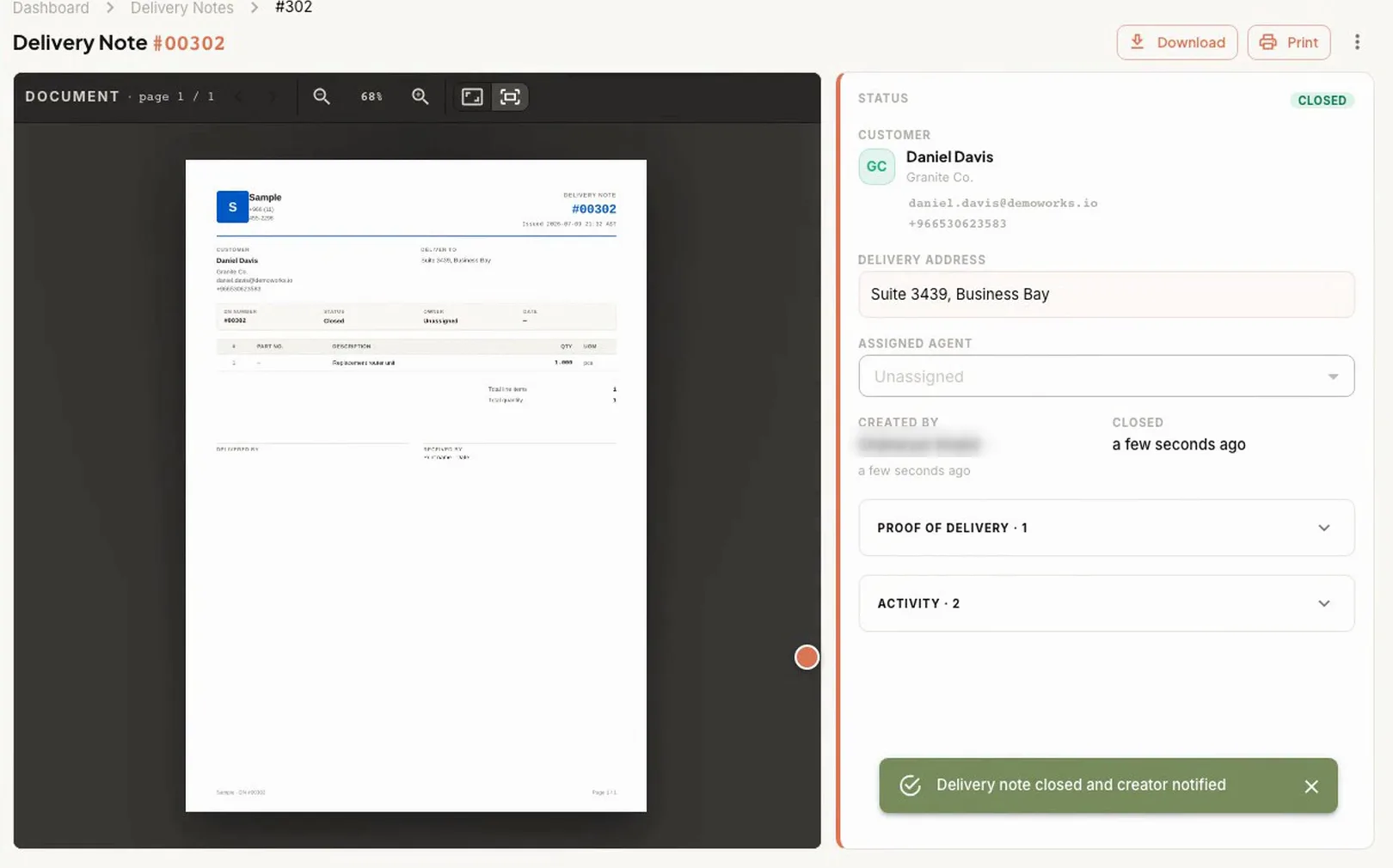
In ServiceDeskPro's Delivery Notes section, the driver sends the signed photo on Telegram or WhatsApp and the note matches, closes and notifies.
The problem today
A distributor cannot invoice with confidence until the signed delivery note is back. Papers return days late, get lost in vans, or are disputed at month end. The customer says it never arrived; the driver says it did.
How it works today
How it works
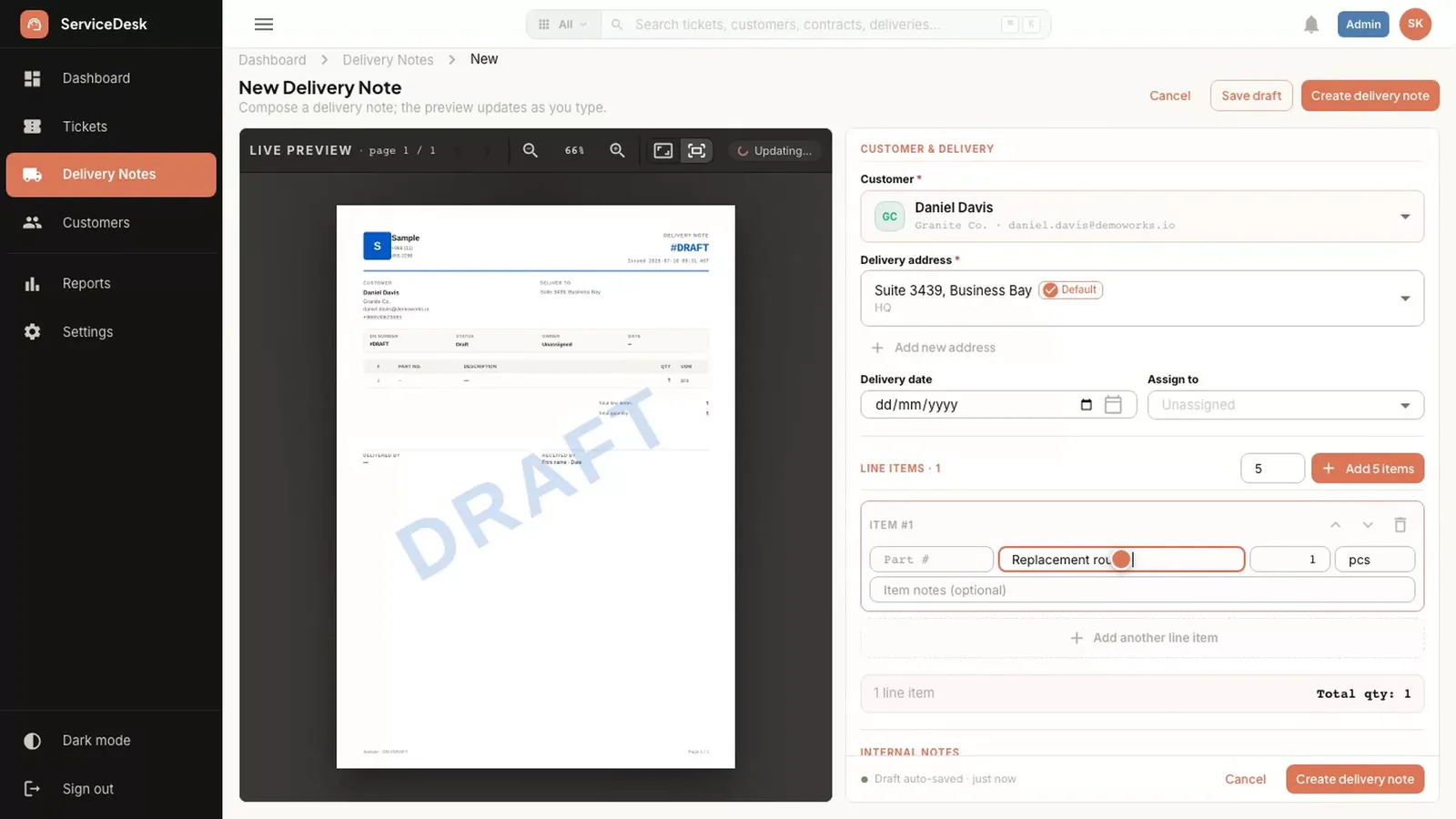
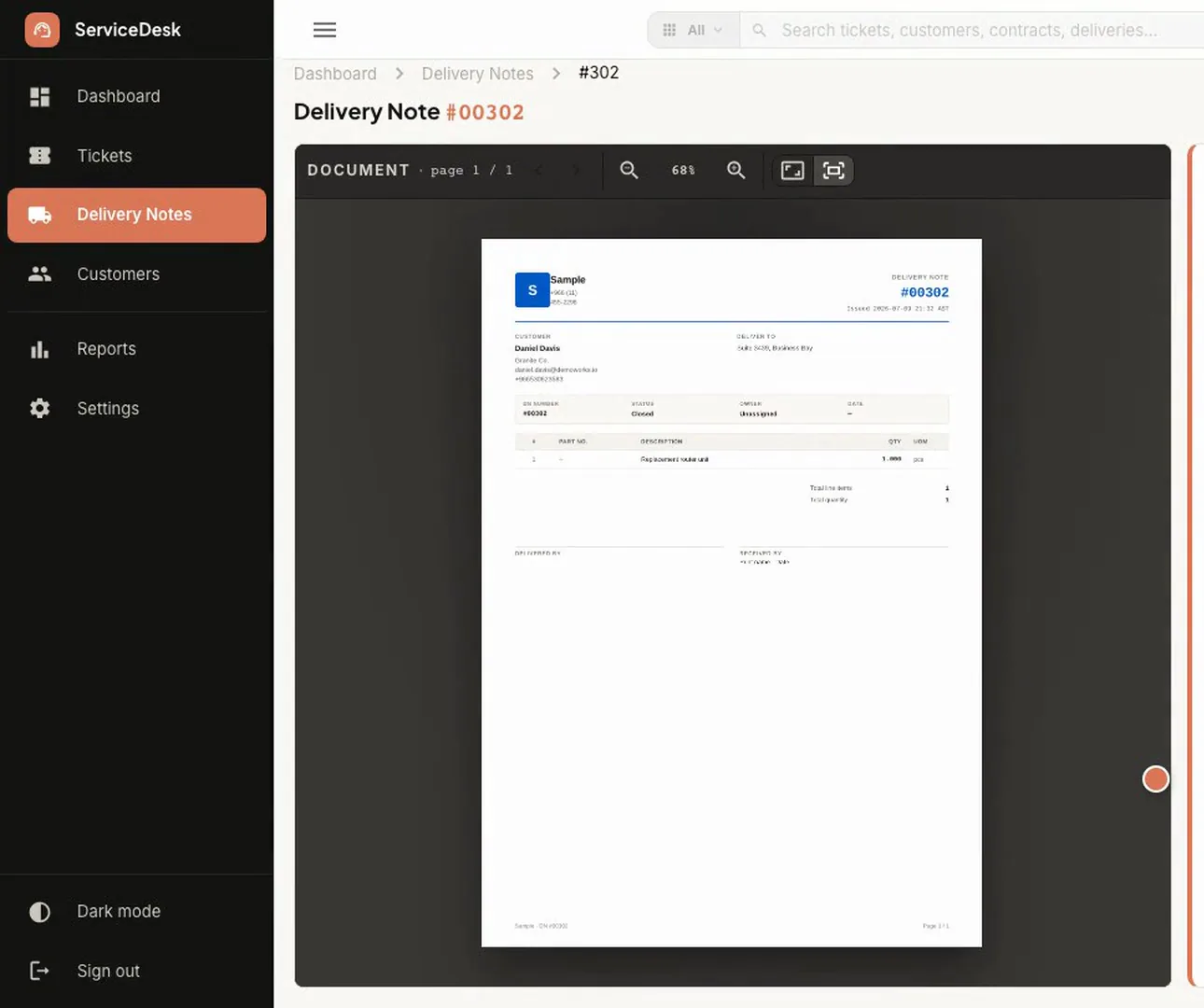
Every delivery note prints with a unique code.
Unique codeThe code ties the signed photo to the note.
At delivery the customer signs. The driver photographs the signed note and sends it on Telegram or WhatsApp.
Telegram or WhatsAppNo new app for the driver.
The note's own code ties the photo to the right delivery note, with no one matching it by hand.
Matched by codeNobody files anything.
Once the photo is matched, the delivery note closes.
Closed on matchThe proof sits next to the order.
The customer, the creator or admin, and the delivery manager are notified instantly.
Three people notifiedProof reaches all three at once.
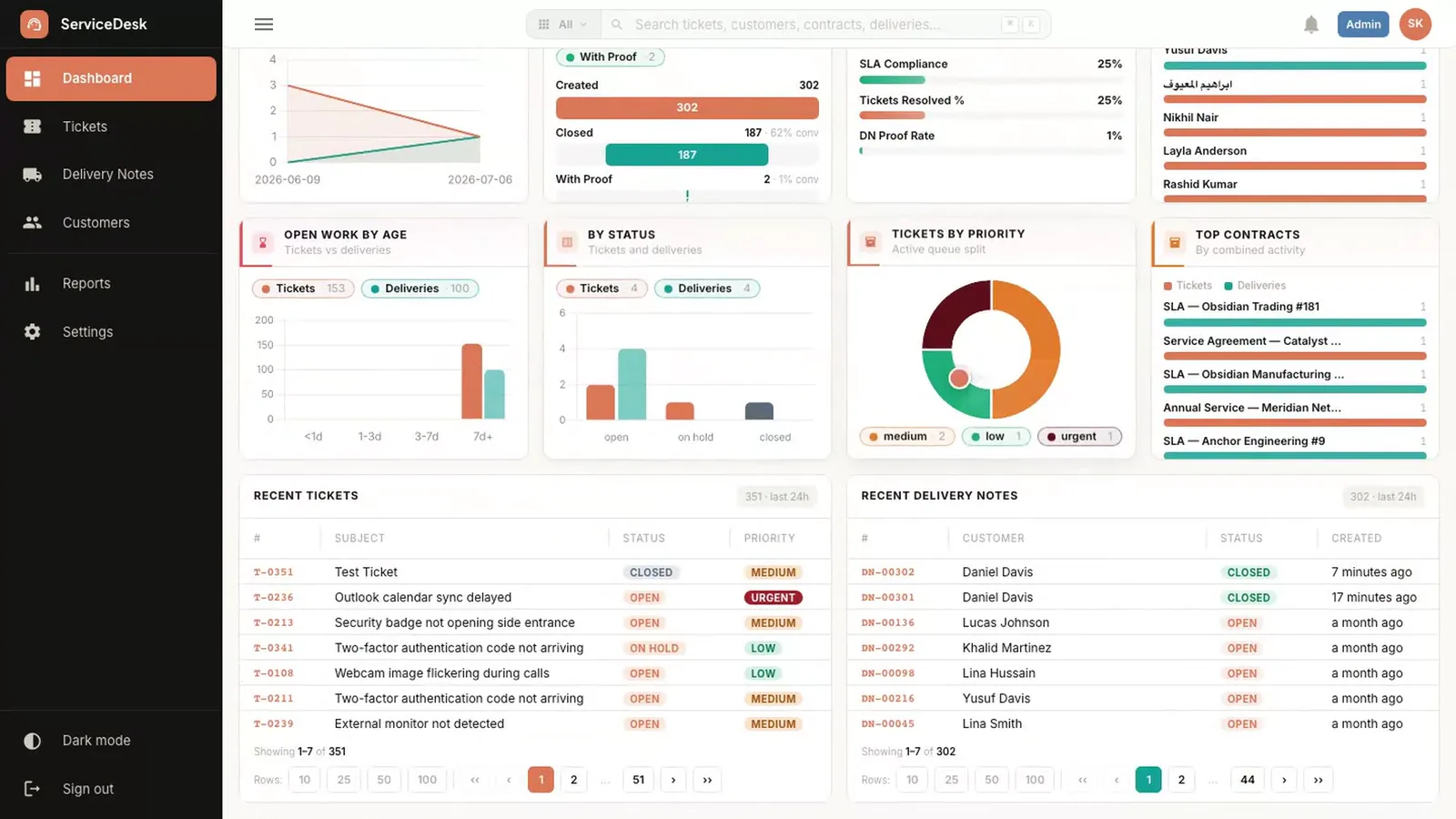
The product, in three screens
Products involved
Pairs with
Reads invoices, receipts and handwriting. Your team checks, not retypes.
Linking delivery notes to orders in ERP Pro is integration work under Custom Development & Integration.
What changes
The proof arrives at the moment of delivery, so invoicing and disputes stop waiting on paper.
The signed photo is matched to the note and the note closes, so the proof is on file at the moment of delivery.
Product fact
You do not wait for a paper to come back before you invoice, because the signed copy is already there.
Product fact
When a customer says it never arrived, the signed photo of the note is the answer.
Product fact
FAQ
No. The Delivery Notes section of ServiceDeskPro works through Telegram or WhatsApp.
The customer, the creator or admin, and the delivery manager, instantly.
If the code does not match or the photo cannot be read, the note stays open and the delivery manager is alerted to check it.
Delivery Notes is a section of ServiceDeskPro. Linking it to the orders in ERP Pro, or in another system, is integration work under Custom Development & Integration.
In the cloud (a Saudi cloud provider in KSA, or your own cloud account) or on-premise. One-time cost, with no monthly subscription, no per-agent fees and unlimited users, so adding a driver or a dispatcher adds no fee.